How to Create a Family Command Center at Home
A useful family command center is a small, clearly assigned place for information that needs action: schedules, school papers, incoming mail, keys, forms, and household reminders. It works best when it reduces decisions instead of becoming another surface where paper accumulates.
The Command-Center Formula
- Put it where the household naturally enters, exits, or gathers.
- Give every item a specific destination: calendar, inbox, action file, return bin, key hook, or charging spot.
- Keep sensitive records and passwords out of public view.
- Use fewer categories than you think you need.
- Schedule a short weekly reset so the system stays current.
Step 1: Choose a Traffic Point, Not an Empty Wall
The best location is not necessarily the largest available wall. It is the point where backpacks, mail, phones, keys, and schedule questions already converge. A section of the kitchen, mudroom, entry, hallway, or nearby cabinet can work if everyone can reach it without blocking a doorway or work surface.
Observe household traffic for a few days before mounting anything. Where does mail land? Where do children drop school papers? Which door is used most often? Where do people ask, "What time is practice?" A command center should intercept those habits rather than ask the household to create entirely new ones.
Keep visual clutter in mind. If the chosen location is visible from the main living area, a narrow framed board, closed wall pockets, or a shallow cabinet may feel calmer than a large grid of exposed papers.
Step 2: Decide What Deserves Prime Space
List the information that changes frequently and needs to be seen. For many households, that means a shared calendar, this-week reminders, school or activity papers, outgoing forms, and a small place for keys or badges.
Do not turn the command center into a complete household archive. Important financial, insurance, identity, and legal documents need safer storage. Utah State University Extension's Household Information Records Organizer is designed to help households systematically organize important records, while the Consumer Financial Protection Bureau's emergency-preparedness guidance recommends keeping key documents accessible but protected and maintaining secure copies.
A useful rule is: display what needs attention; file what needs retention.
Step 3: Build Five Simple Zones
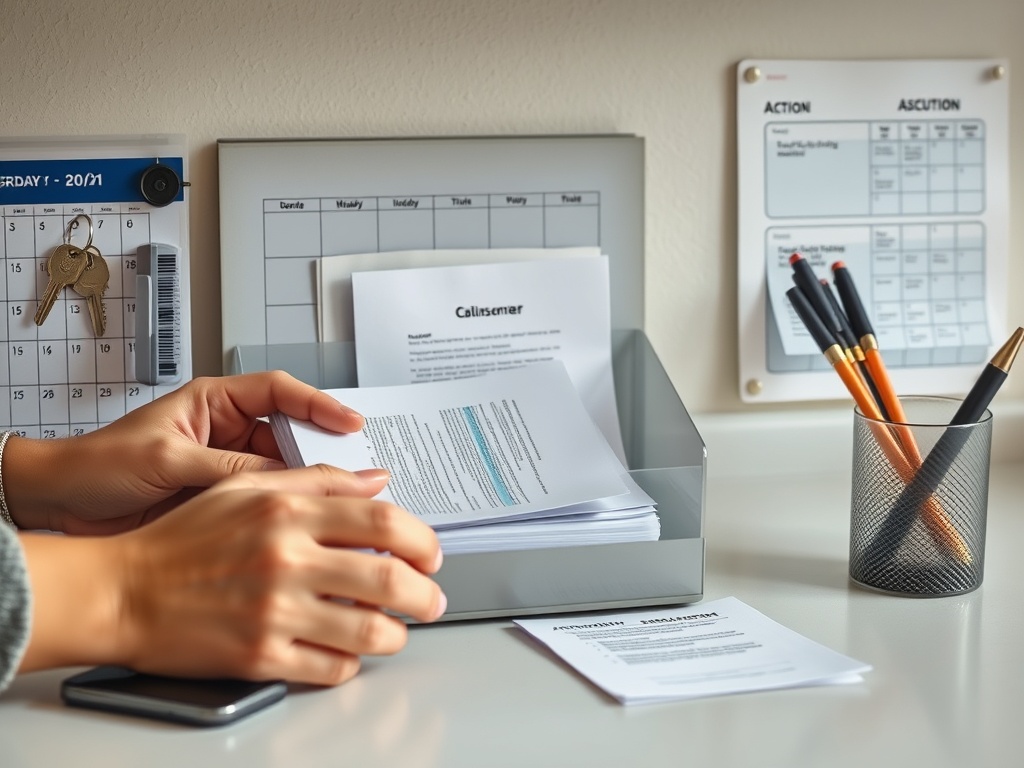
Calendar Zone
Use one shared calendar as the household's source of truth. It can be paper, digital, or a hybrid, but avoid running three competing systems that show different information. A wall calendar is useful for quick visibility; a digital calendar is better for alerts and schedule changes. Some families use both, updating the wall once a week from the digital master.
Incoming Zone
Create one shallow tray or wall pocket for new papers. This is a landing spot, not permanent storage. Mail, school notices, permission slips, and appointment cards enter here until someone processes them.
Action Zone
Separate items that require a decision, signature, payment, return, or follow-up. A single labeled folder can work better than several tiny categories. The goal is to make unfinished tasks visible without covering the whole wall.
Grab-and-Go Zone
Hooks or a small tray can hold frequently used keys, transit cards, dog leads, sunglasses, or identification badges. Avoid loading this area with rarely used objects. Everyday access is what makes the zone valuable.
Reset Zone
Keep a small recycling or shred destination nearby if appropriate, along with a pen and a few basic supplies. If discarding a paper requires walking across the house, old paper is more likely to stay on the command center.
Step 4: Use Vertical Space Without Creating a Bulletin-Board Explosion
Wall storage keeps counters clear, but too many open pockets and hooks can look busy. Start with the smallest system that handles real needs. A calendar, one inbox, one action folder, and a few hooks may be enough.
If the room already has substantial storage, use nearby corner cabinets and dead space for backup supplies, archived school materials, or chargers instead of expanding the visible command center.
Choose a consistent material palette. Matching frames, a repeated wood tone, or two coordinated container colors can make practical storage look intentional. This is the same visual principle used when you decorate with plants without adding clutter: repeat a few forms, leave negative space, and avoid giving every object its own decorative treatment.
Step 5: Make the System Easy for the Shortest and Busiest User
If children are expected to use hooks or pockets, place their items within reach. If one adult handles most outgoing forms, put the action folder near that person's normal route. A beautifully arranged system fails when the household has to stretch, bend, open multiple doors, or remember a complicated filing code every time.
Use plain labels such as "In," "To Do," and "Return" if labels are helpful. Avoid category names that require interpretation. The faster someone can put an item away, the more likely the system will survive a busy week.
Step 6: Add Charging Carefully
A charging shelf can reduce wandering cords, but it should not become a tangle of overheated adapters and papers. Use listed charging equipment, keep ventilation around devices, and do not cover power strips or chargers with mail. Permanent electrical work should follow local code and be handled by a qualified electrician where required.
If the command center is near a sink, exterior door, or other moisture-prone area, position electronics away from splashes and wet outerwear.
Step 7: Create a Ten-Minute Weekly Reset
Pick a predictable time to clear the inbox, remove expired notices, update the calendar, return misplaced items, and move records to long-term storage. The exact day does not matter. Consistency does.
During the reset, ask three questions:
1. Is this still current?
2. Does someone need to act on it?
3. If it must be kept, where is its permanent home?
That routine prevents the command center from becoming a display of last month's obligations.
Common Failure Modes and Small Fixes
If paper piles on the counter beside the system, the inbox may be too small, too high, or too far from where paper arrives. Move the landing spot before blaming the household.
If the wall looks crowded, reduce categories and move archives into closed storage. If family members ignore the calendar, decide whether the digital version should be the master and use the wall only for major shared events.
If keys constantly disappear, give each frequent key set a dedicated hook rather than one communal bowl. If pens wander, attach a simple pen cup or keep only one or two writing tools there.
Plants can soften a utilitarian wall, but choose one compact plant only if the light and care routine fit. A nearby article on decorating with plants can help keep greenery from taking over a surface that needs to remain functional.
Keep the Center Focused on the Next Action
The most useful command center is not the one with the most components. It is the one that answers ordinary household questions quickly: What is happening? What needs action? What leaves the house next? Where do I put this?
Home organization guidance is educational only. Electrical work, wall anchoring, child safety, secure document storage, and data privacy may require product-specific or professional guidance; keep sensitive personal information protected rather than openly displayed.
A practical next step is to collect one week's worth of the papers and objects that normally land on counters, sort them into "see," "act," "grab," and "store," then build the command center around those real categories.